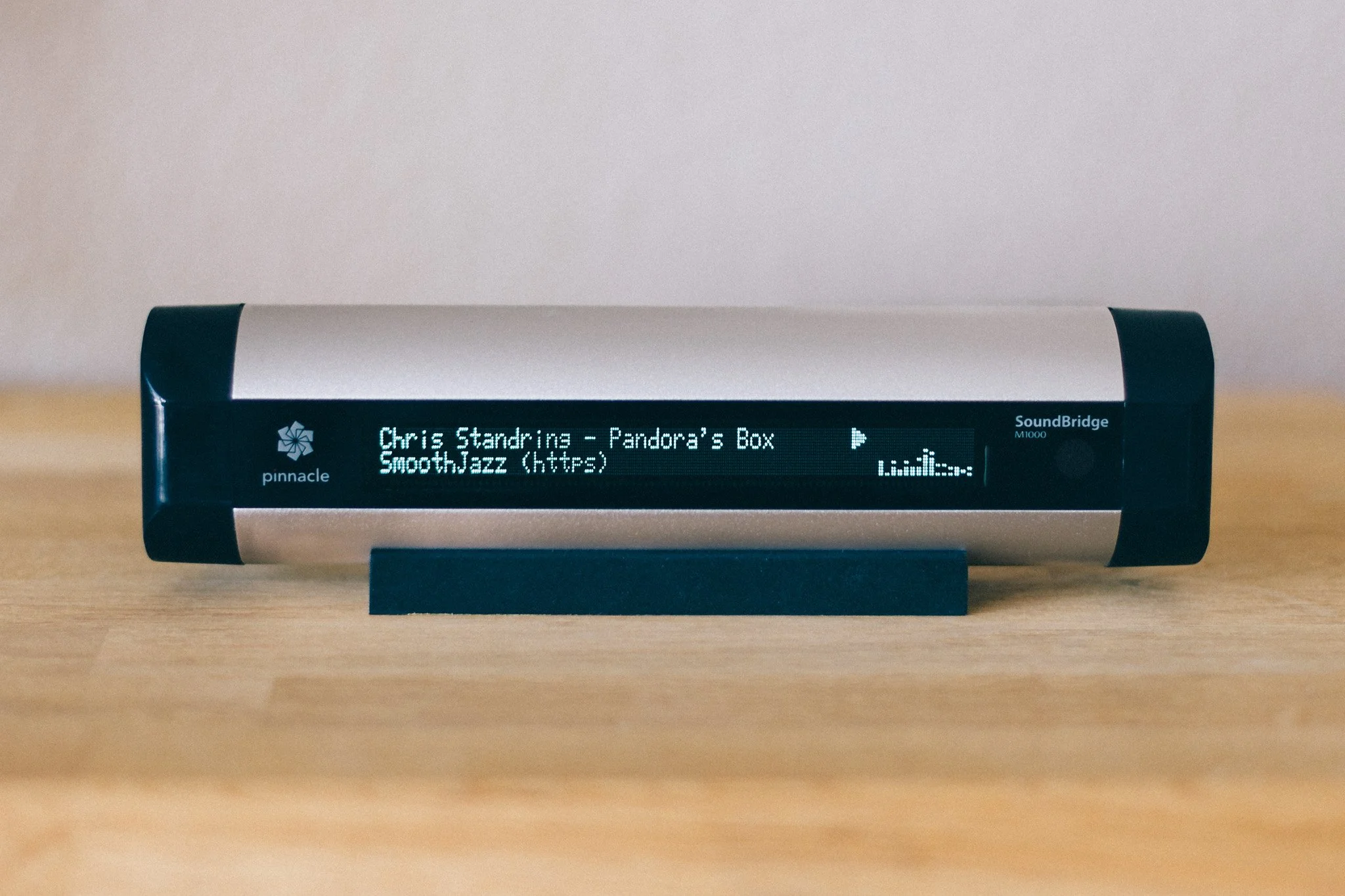
SoundBridge & Internet Radio
With later firmware versions, the SoundBridge also became particularly interesting as an Internet radio player. Starting with firmware 3.0, Roku integrated an online database containing a large number of radio stations, allowing users to search for stations and select them directly on the device. At the time, this was an exceptionally convenient solution.
There was no need to search for a stream on a computer, copy its address, and then somehow transfer it to the stereo system. The SoundBridge could search for radio stations itself and play the selected station directly.
The station database, however, was also a service external to the hardware itself. If the RadioRoku server was unavailable, new radio stations could not be selected through the database. Stations that had already been saved remained available, however. The SoundBridge provides 18 presets, allowing radio stations to be stored directly on the device and recalled even when the online database was unavailable.
At the time, this was an extremely practical solution. It also illustrates a problem that only became apparent years later with many devices from this generation: hardware can remain functional for far longer than the services it was originally designed to depend on.
Limitations in today's world.
Of course, by today's standards the SoundBridge is no longer a modern streaming device. It does not support the wide range of current streaming services that people expect from today's products, and its firmware has not received any major development for many years.
Modern HTTPS streams - big problem!
When the SoundBridge was developed, the technical requirements for Internet streaming were considerably simpler. HTTP-based audio streams were widespread, and communication between client and server was correspondingly straightforward.
Today, the situation is different. HTTPS has long since become the standard, and modern streaming servers use TLS encryption, current certificates, and protocols that network software from that era does not necessarily support.
For a modern computer, this is usually not a problem. Browsers and operating systems take care of certificates, encryption, and the latest protocol versions. Smartphones and modern streaming devices are also regularly updated and can therefore adapt to changes on the server side.
A SoundBridge naturally does not have the same ability to adapt. Its firmware comes from a different technological era and has not been updated for a long time to reflect the continued evolution of the Internet. The SoundBridge supports a surprisingly broad range of networking technologies for a device of its age, including WEP, WPA, AutoIP, DHCP, TCP, Telnet, HTTP and DRM. What it does not support, however, is HTTPS.
That missing HTTPS support is particularly significant today. The SoundBridge can communicate perfectly well over a TCP/IP network and can establish HTTP connections to streaming servers, but it cannot itself establish the modern TLS-encrypted HTTPS connections that have become standard on the Internet.
The last firmware updates were essentially limited to smaller fixes and adjustments, for example when changes were made to other services or protocols. There was therefore no later firmware development that could bring the SoundBridge's networking capabilities in line with the modern HTTPS-based Internet.
As a result, a stream can work perfectly well on a modern computer and still fail to play directly on the SoundBridge. The SoundBridge itself is not necessarily the problem. It can still reproduce audio extremely well, and it can still establish network connections. The difficulty arises where the capabilities of an older client meet the requirements of a modern streaming server.
At some point, that left me with an obvious question: Could this problem be solved without modifying the SoundBridge itself?
The solution - a proxy server.
The answer was surprisingly simple: the SoundBridge does not have to establish the modern HTTPS connection itself.
If a small server on the local network handles the connection to the Internet radio station, that server can take care of the technical requirements of the modern streaming server. It can then provide the SoundBridge with a stream that it can process using its existing capabilities.
This does not modernize the SoundBridge itself. Instead, it simply adapts the connection between the old hardware and the modern Internet.
For this purpose, NGINX was a natural choice. NGINX is a powerful web server and reverse proxy that is well suited to establishing a connection to a remote server and forwarding the resulting data stream to another client.
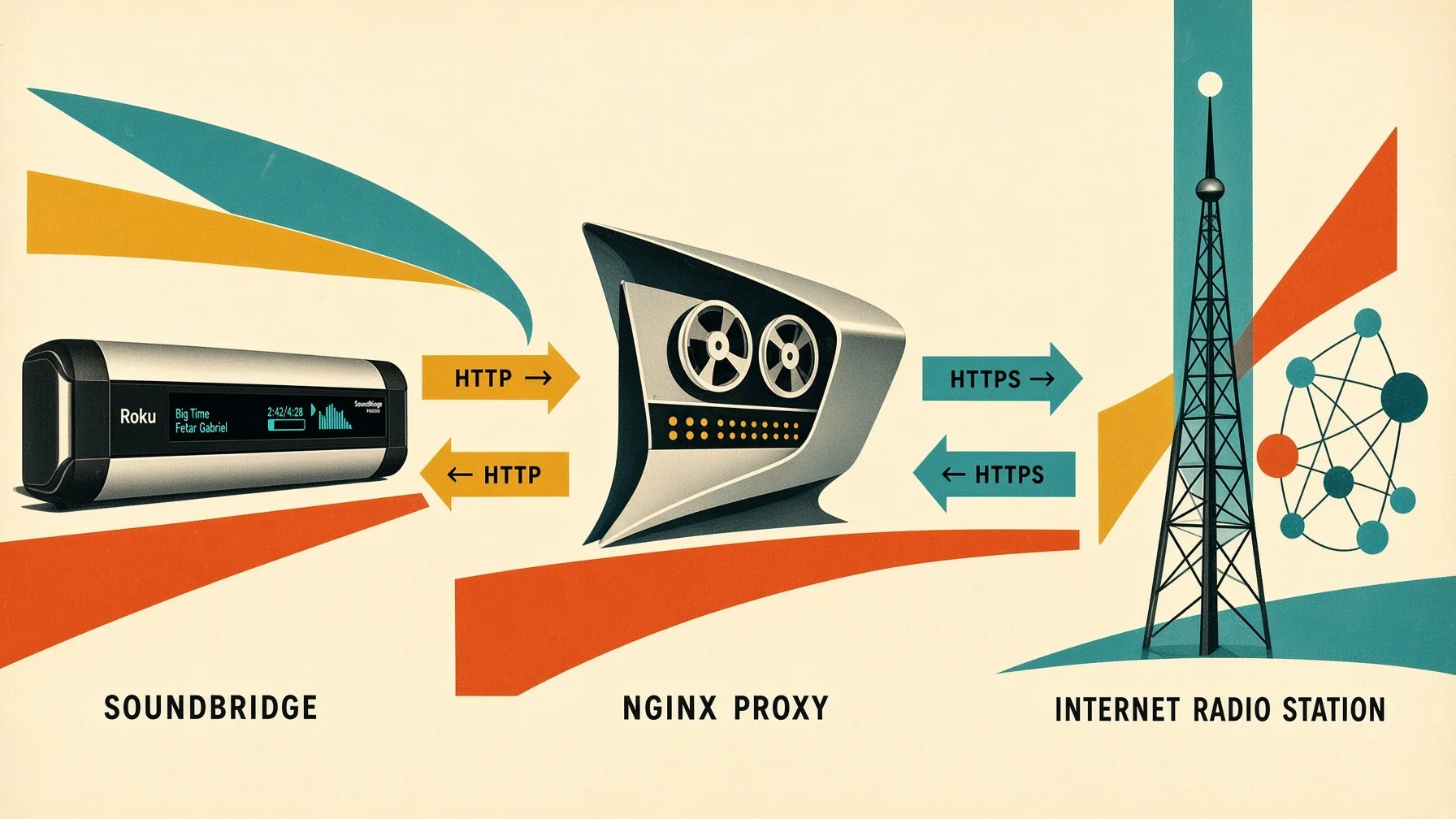
The basic setup is quite simple. The SoundBridge connects to a local HTTP address. NGINX accepts that connection and establishes an HTTPS connection to the actual radio station in the background. The incoming audio stream is then forwarded to the SoundBridge without unnecessary buffering.
In this way, the SoundBridge can continue to work with its existing network protocols, while NGINX handles the modern HTTPS connection to the radio station in the background.
First working solution.
Once the basic idea for the proxy had been established, the next step was to turn it into a working solution. I therefore decided not to install NGINX directly on the host system, but to run it inside a Docker container. NGINX does not require a complex environment and can be operated completely separately from the actual system installation. The required configuration, ports, and runtime environment of the proxy are therefore contained within a clearly isolated container. If the configuration needs to be changed later, or the proxy needs to be rebuilt completely, the underlying system remains largely unaffected.
Another advantage is easy reproducibility. The NGINX configuration can be managed independently of the underlying operating system. The container can be stopped, restarted, or recreated whenever necessary, without having to manually reinstall and configure NGINX on the host each time.
For managing the container, I used Portainer. Its graphical interface is extremely convenient, although Portainer is by no means required - Docker can of course be managed entirely from the command line. For a small home server, however, having a graphical interface makes administration considerably more convenient.
The actual NGINX configuration for this first solution consisted of two files. The first file defined the basic NGINX environment and specified, among other things, where logs were stored, which network parameters were used, and that additional server configurations should be loaded from:
/etc/nginx/conf.d/
The second file then defined the actual HTTP server. NGINX listened on port 80 and therefore provided a standard HTTP endpoint for the SoundBridge within the local network. The crucial part of the configuration was the address structure:
/soundbridge/URL
This allowed the SoundBridge, for example, to access a local address such as:
http://192.168.1.1:8777/soundbridge/...
NGINX received this request and used the part of the address following /soundbridge/ as the destination for its connection to the actual radio station.
The crucial difference compared with the SoundBridge itself was that NGINX could establish the connection to the destination server using HTTPS. The configuration therefore explicitly instructed NGINX to use HTTPS when connecting to the remote server. SNI was also enabled, and TLS 1.2 and TLS 1.3 were allowed for the connection to the remote server.
This created a clear separation between the two sides of the proxy. On one side, the old SoundBridge communicated with the local NGINX server using its existing network protocols. On the other side, NGINX established the modern HTTPS connection to the actual streaming server.