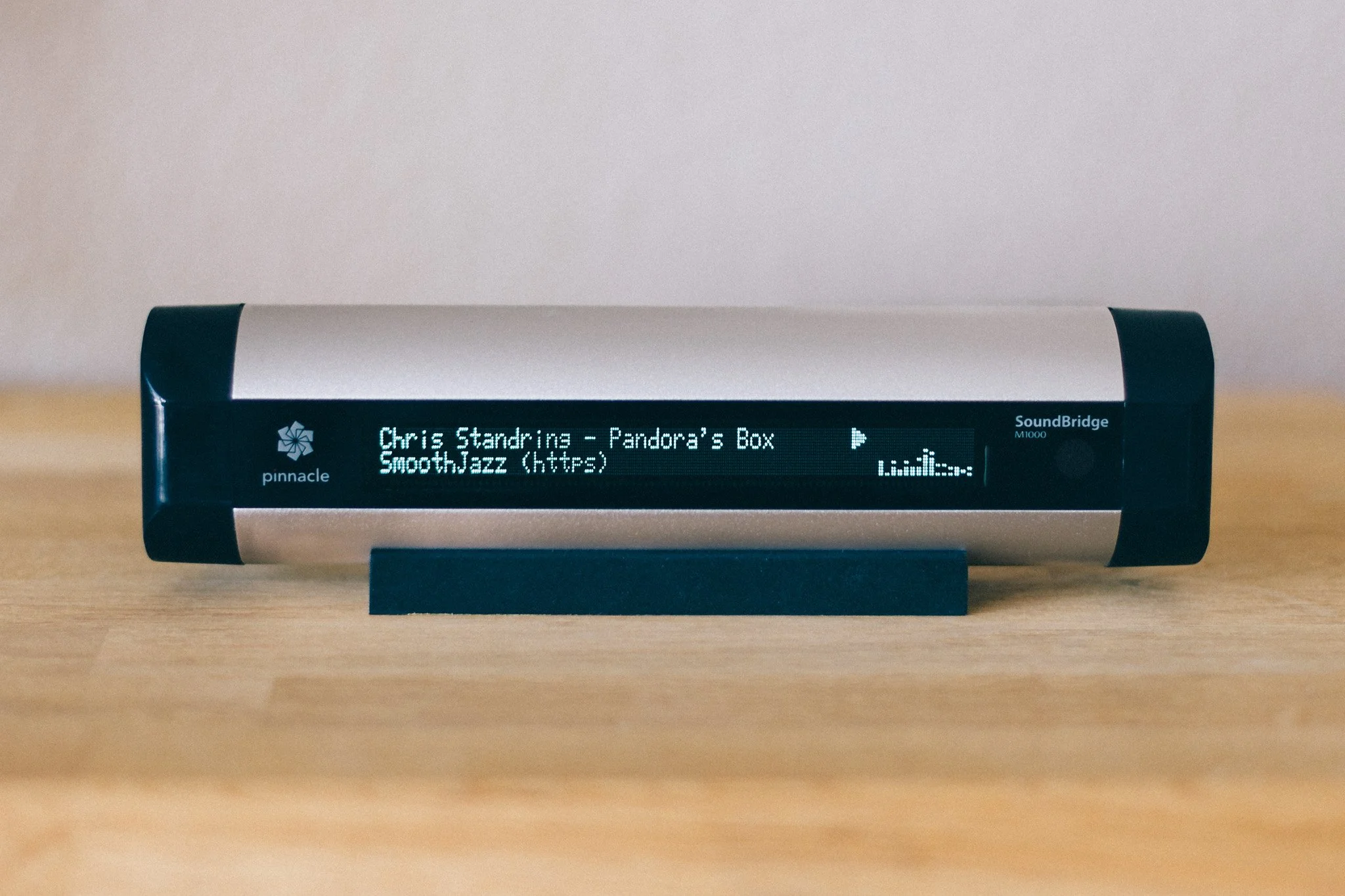
Why stream intelligence was needed.
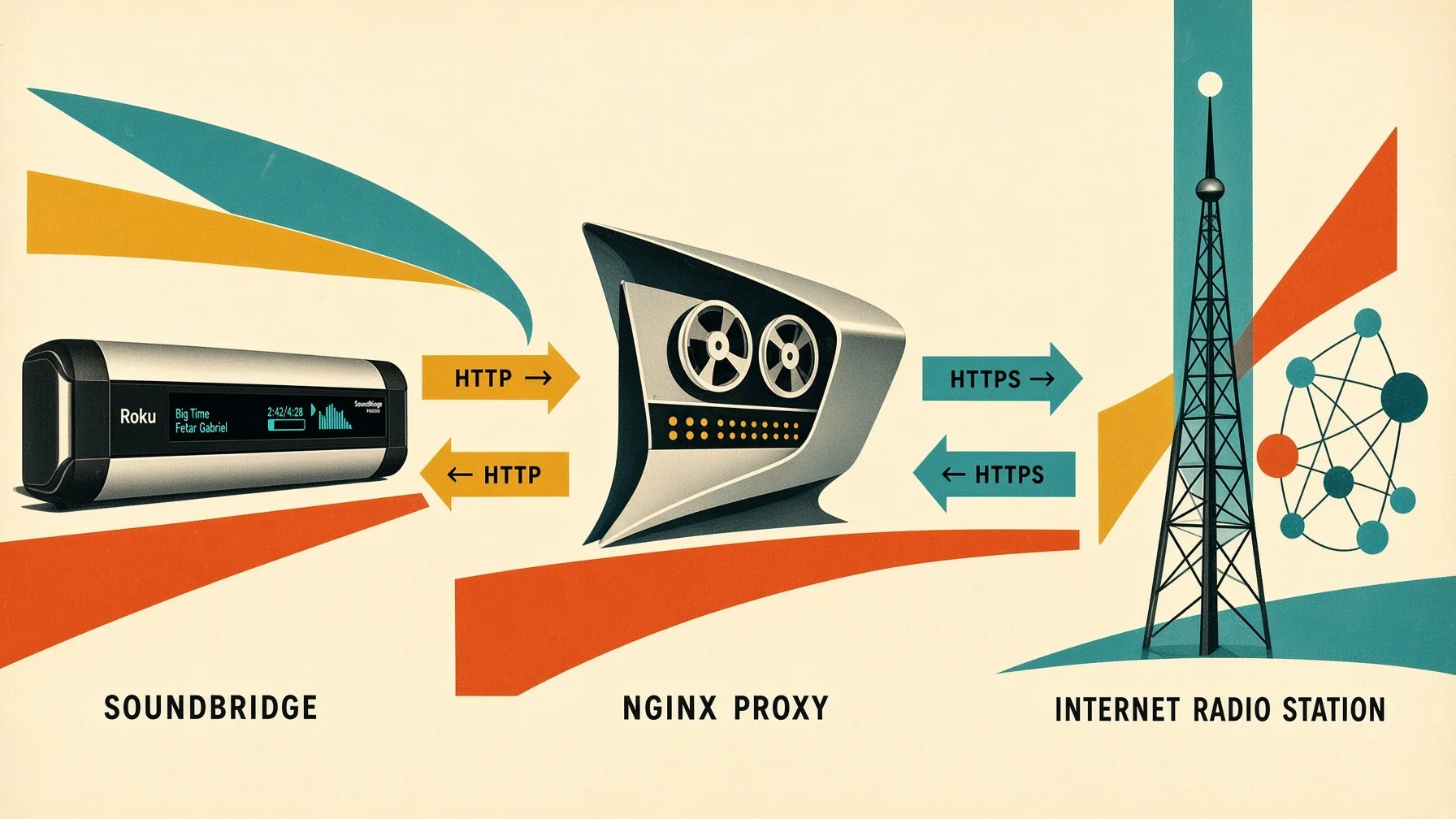
The first NGINX solution had one decisive advantage: it was simple. The SoundBridge received a local HTTP endpoint, while NGINX handled the HTTPS connection to the actual stream in the background. For many streams, this approach worked extremely well.
Over time, however, it became clear that a pure HTTPS-to-HTTP proxy had its limitations. An audio stream is not just audio data. Internet radio streams often carry additional information such as station name, genre, bitrate, and the currently playing track through ICY metadata. Streaming servers also do not all behave the same way: some URLs are simply redirects, some only deliver the actual stream after several HTTP steps, while others use different headers or stream formats.
This is where the second version of the POWERSSBWIZ - SOUNDBRIDGE WIZARD ESSENTIAL came in. Instead of simply passing the connection between the SoundBridge and the radio station through, the SOUNDBRIDGE WIZARD could analyze the stream itself and, when necessary, prepare it specifically for the SoundBridge.
From a simple proxy to a stream-aware relay.
The new version was therefore no longer implemented purely as an NGINX configuration, but as its own small streaming service. The application runs in a Docker container and is based on Python 3.12. In addition, FFmpeg and the required CA certificates are installed inside the container.
This allows the POWERSSBWIZ - SOUNDBRIDGE WIZARD ESSENTIAL to use different approaches depending on the source.
First, the requested stream URL is analyzed and the SOUNDBRIDGE WIZARD attempts to open the stream directly as an ICY stream.
That is an important difference from the original NGINX solution.
ICY metadata.
A traditional Internet radio stream can transmit additional ICY information alongside the actual audio data. The POWERSSBWIZ - SOUNDBRIDGE WIZARD ESSENTIAL explicitly requests this information using the header
Icy-MetaData: 1During the connection, it can process information such as the station name, genre, bitrate, and the interval at which metadata is transmitted.
The most important piece of information, however, is the actual track title.
ICY metadata can contain a value such as StreamTitle. The SOUNDBRIDGE WIZARD ESSENTIAL can extract this metadata from the live stream and use it to determine the currently playing track. The corresponding function parses the ICY metadata and extracts the individual keys and values.
The SOUNDBRIDGE WIZARD can then package the detected title back into ICY metadata. It creates a corresponding StreamTitle field and sends it to the client as ICY metadata.
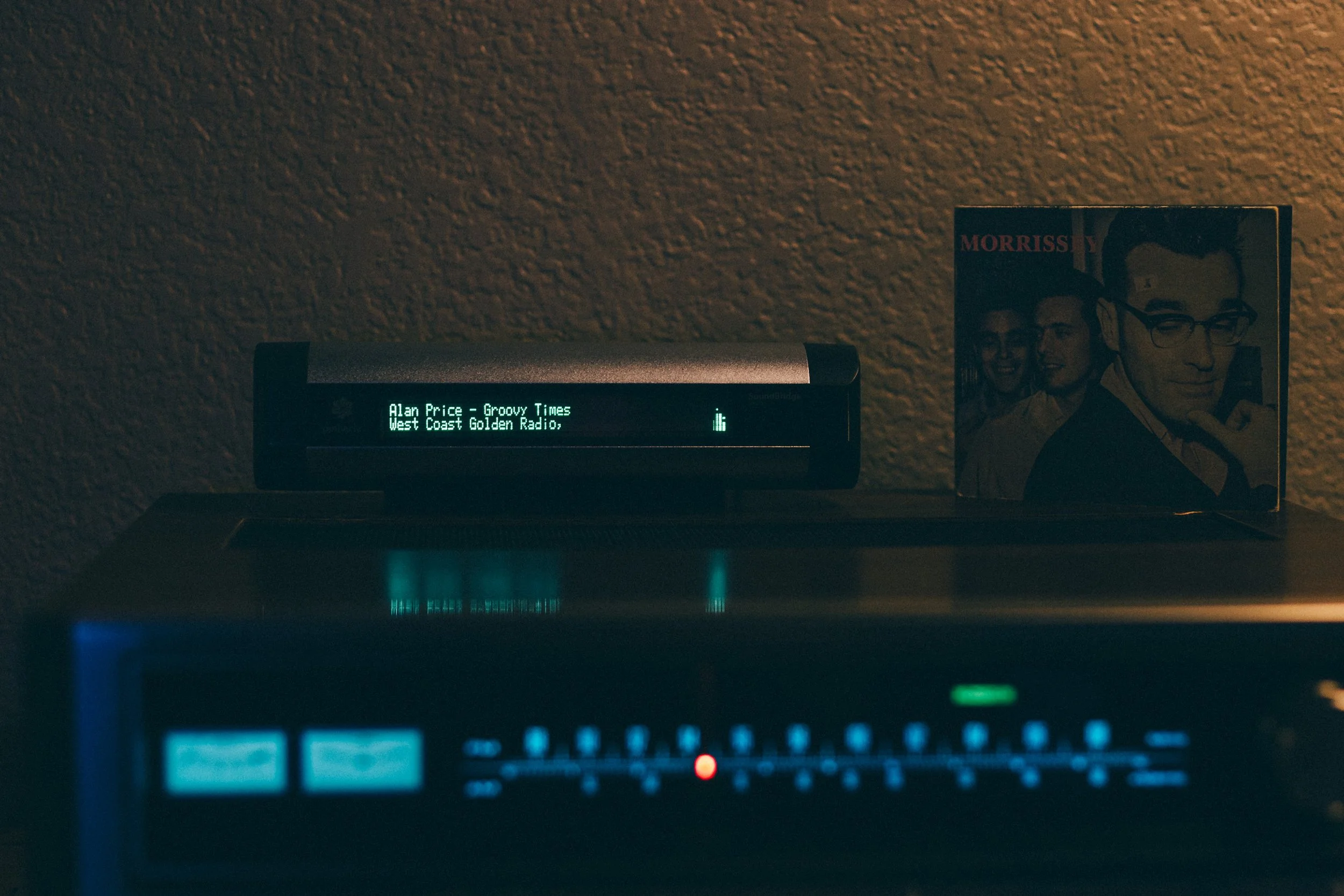
The result is more than just a working audio stream: the relevant radio metadata can remain available to the SoundBridge as well.
Keeping the SoundBridge informed.
The POWERSSBWIZ - SOUNDBRIDGE WIZARD ESSENTIAL provides several built-in endpoints that make the current streaming state available without requiring direct access to the container.
The main web interface is available at:
http://<PUBLIC_HOST>:8731/With the configuration used for this project, for example:
http://192.168.1.1:8731/The detailed user interface itself is described later in the Web Interface section. For stream monitoring and diagnostics, the SOUNDBRIDGE WIZARD also provides dedicated status endpoints.
The JSON status API is available at:
/api/status
For example:
http://192.168.1.1:8731/api/statusDepending on the current playback state, the API provides information such as:
status
mode
source
resolved_source
station
genre
bitrate
now_playing
This makes it possible to inspect the current stream state programmatically or directly from a browser.
For a basic service check, the SOUNDBRIDGE WIZARD ESSENTIAL also provides a health endpoint:
/healthFor example:
http://192.168.1.1:8731/healthThe health endpoint provides a simple indication that the service is running and also reports basic information about the current SOUNDBRIDGE WIZARD installation.
These endpoints are also reported by the SOUNDBRIDGE WIZARD ESSENTIAL when the service starts.
No ICY - no problem!
Of course, not every stream provides the expected ICY metadata structure. The POWERSSBWIZ - SOUNDBRIDGE WIZARD ESSENTIAL therefore does not rely exclusively on ICY.
When the source stream cannot be processed directly this way, FFmpeg provides an alternative processing path.
FFmpeg opens the source stream and converts the audio into a standardized MP3 stream for the SoundBridge.
The SOUNDBRIDGE WIZARD also uses automatic reconnect options. If the connection to the source server drops or reaches the end of the stream, FFmpeg can attempt to reconnect. Among other options, the SOUNDBRIDGE WIZARD uses -reconnect, -reconnect_streamed, -reconnect_at_eof, and a maximum reconnect delay.
This makes the second solution considerably more flexible than a pure HTTP/HTTPS proxy. The source no longer has to provide audio in exactly the format the SoundBridge can handle directly. The POWERSSBWIZ - SOUNDBRIDGE WIZARD ESSENTIAL can process the stream through FFmpeg first and then output it in a format suitable for the SoundBridge.
A common output for the SoundBridge.
In FFmpeg mode, the audio is output as MP3 at 128 kbps, 44.1 kHz, stereo.
This effectively shields the SoundBridge from many of the details and inconsistencies of modern streaming servers.
For the SoundBridge, the connection remains simple:
SoundBridge → HTTP → SoundBridge Wizard → Internet streamBehind the scenes, however, the POWERSSBWIZ - SOUNDBRIDGE WIZARD ESSENTIAL can work considerably harder:
SoundBridge → HTTP → SoundBridge Wizard → HTTPS / ICY / FFmpeg → Internet RadioThat additional processing capability is what sets the new solution apart from the original version.
The stream endpoint.
The actual stream is provided through a dedicated HTTP endpoint:
/powerssbwiz/<stream-url>This endpoint is also displayed when the POWERSSBWIZ - SOUNDBRIDGE WIZARD ESSENTIAL starts.
The SOUNDBRIDGE WIZARD accepts both http:// and https:// source URLs. The supplied URL is extracted from the request and then processed by the SOUNDBRIDGE WIZARD ESSENTIAL.
This allows the SoundBridge to connect to a simple local HTTP stream while the SOUNDBRIDGE WIZARD handles the connection to the actual Internet stream in the background and, depending on the source and processing path, prepares the audio accordingly.
The SOUNDBRIDGE WIZARD ESSENTIAL therefore acts as an intermediary between legacy streaming hardware and today's streaming servers.
Docker container.
The technical implementation is fully containerized and designed for a straightforward private installation.
The application runs as a small Docker stack consisting of two containers.
The SOUNDBRIDGE WIZARD ESSENTIAL itself:
powerssbwiz_soundbridge_wizard_essential
The local PostgreSQL database
powerssbwiz_soundbridge_wizard_essential_postgres
The SOUNDBRIDGE WIZARD ESSENTIAL image is based on python:3.12-slim. FFmpeg, CA certificates, and the required Python dependencies are installed inside the container. The host system therefore does not need a separate Python environment, FFmpeg installation, or PostgreSQL setup.
Configuration is handled through a .env file. It defines the main parameters for the installation and network environment, including:
CONTAINER_NAME – the Docker container name
POSTGRES_CONTAINER_NAME – the PostgreSQL container name
HTTP_PORT – the HTTP port used by the SOUNDBRIDGE WIZARD ESSENTIAL
TZ – the time zone
PUBLIC_HOST – the host's IP address or hostname
DNS_PRIMARY – the primary DNS server
DNS_SECONDARY – the secondary DNS server
LOCAL_DB_DATA_PATH – the persistent PostgreSQL data directory
BACKUP_HOST_PATH – the directory used for local backups
BACKUP_INTERVAL_HOURS – the automatic backup interval
BACKUP_MAX_VERSIONS – the maximum number of stored automatic backups
ACTIVITY_LOG_RETENTION_DAYS – the default number of days System Log entries are retained
In the SOUNDBRIDGE WIZARD ESSENTIAL edition, the default HTTP port is 8731. The SOUNDBRIDGE WIZARD also listens internally on port 8731, so the Docker port mapping is deliberately kept simple: 8731 → 8731
With the default configuration, the web interface and SoundBridge relay are therefore available on port 8731 of the Docker host.
The PostgreSQL container stores the persistent application data independently from the SOUNDBRIDGE WIZARD ESSENTIAL container. Database files can be placed in a dedicated host directory, while backups can be written to a separate backup directory.
For example, a typical installation can use
/home/powerssbwizessential/database/postgresfor PostgreSQL data and
/home/powerssbwizessential/backupfor backups.
Backup management is integrated directly into the SOUNDBRIDGE WIZARD's web interface. Automatic backups can be enabled or disabled by setting an interval, the number of retained backup versions can be configured, and backups can also be created manually.
The interface shows the configured backup location, whether automatic backups are enabled, how many backups are currently stored, the time of the last successful backup, the next scheduled backup, and any backup error reported by the system.
Existing backups can be downloaded, verified, restored, or deleted directly from the web interface. A backup ZIP file can also be restored manually from the local computer.
The local PostgreSQL database is also used for the persistent System Log. Log entries therefore survive container restarts and remain independent of the application container itself. The default retention period can be defined through the .env file and later changed directly from the web interface.
The System Log and its retention setting are included in the normal POWERSSBWIZ backup data. Restoring a backup therefore also restores the corresponding log entries and log-retention configuration.
This containerized architecture keeps the SOUNDBRIDGE WIZARD ESSENTIAL largely independent of the underlying host operating system. Python, FFmpeg, the application itself, and PostgreSQL all run inside Docker, while persistent configuration, database files, backups, and log data remain clearly separated from the application container.
For administration, you can use Portainer, although it is not required. The complete installation can also be managed entirely from the command line with Docker and Docker Compose.
On a home server, Portainer is particularly convenient because both containers can be started, stopped, recreated, inspected, and monitored through a graphical interface. At the same time, the actual installation remains reproducible because the configuration is defined through docker-compose.yml and the .env file rather than being tied to Portainer itself.
Web Interface.
The web interface of SOUNDBRIDGE WIZARD ESSENTIAL is intentionally kept simple and focused on the functions needed for a private SoundBridge installation.
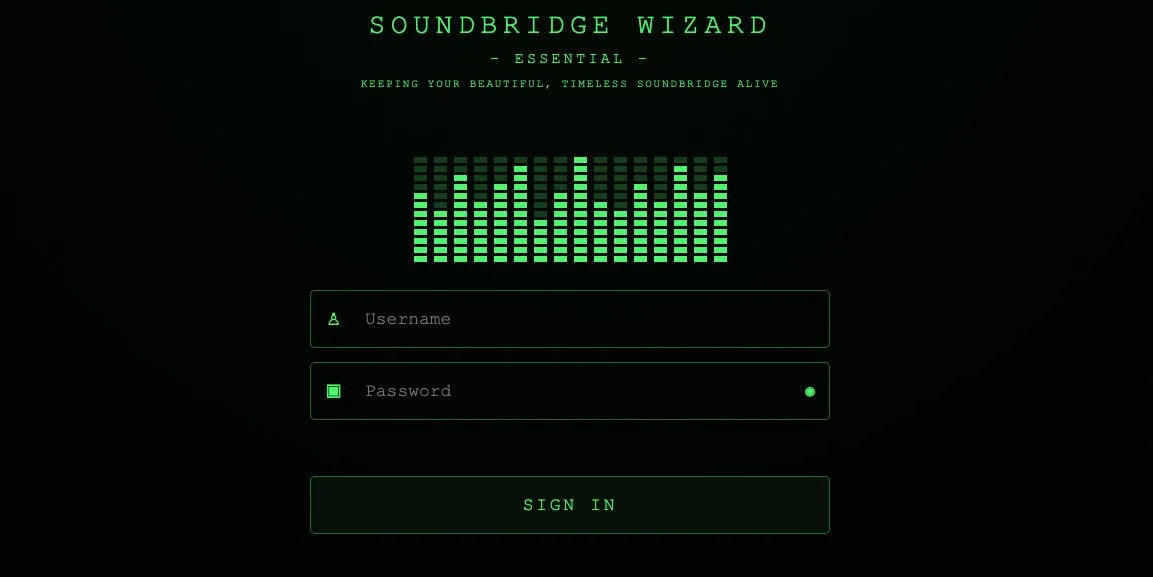
After signing in, the main areas of the SOUNDBRIDGE WIZARD are available through a compact navigation menu.
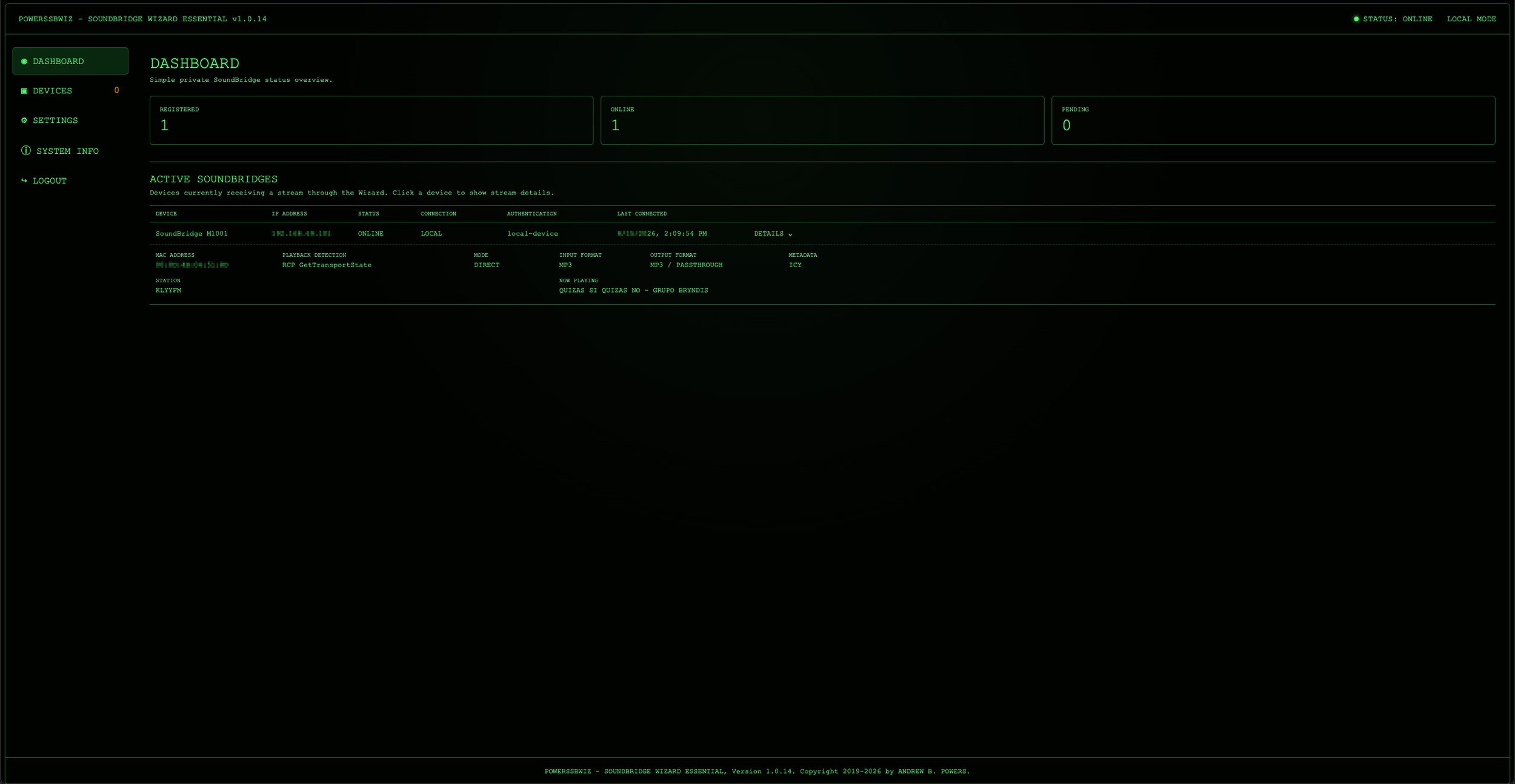
DASHBOARD
The Dashboard provides an immediate overview of the current system state. It shows the SoundBridges that are currently active and receiving a stream through the SOUNDBRIDGE WIZARD.
Under ACTIVE SOUNDBRIDGES, each active device can be inspected in more detail. Clicking a device expands its current stream information, including the MAC address, playback detection method, operating mode, input and output format, ICY metadata status, station name, and the currently playing title.
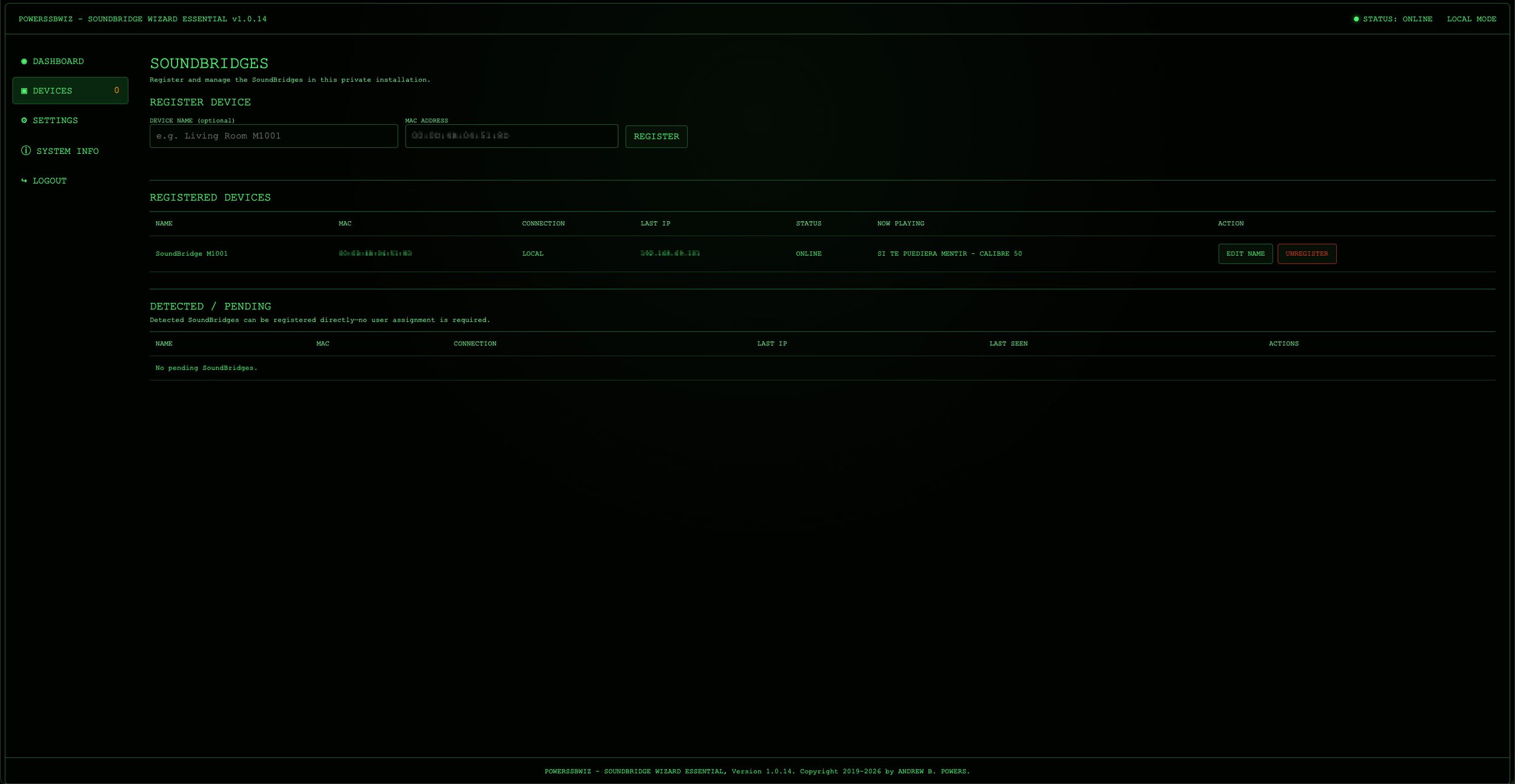
DEVICES
This section is used to manage SoundBridges known to the SOUNDBRIDGE WIZARD. It includes the REGISTERED DEVICES list, where authorized SoundBridges can be viewed and managed. Device names can be changed directly from this section, making it easier to identify individual players when several SoundBridges are used in the same network.
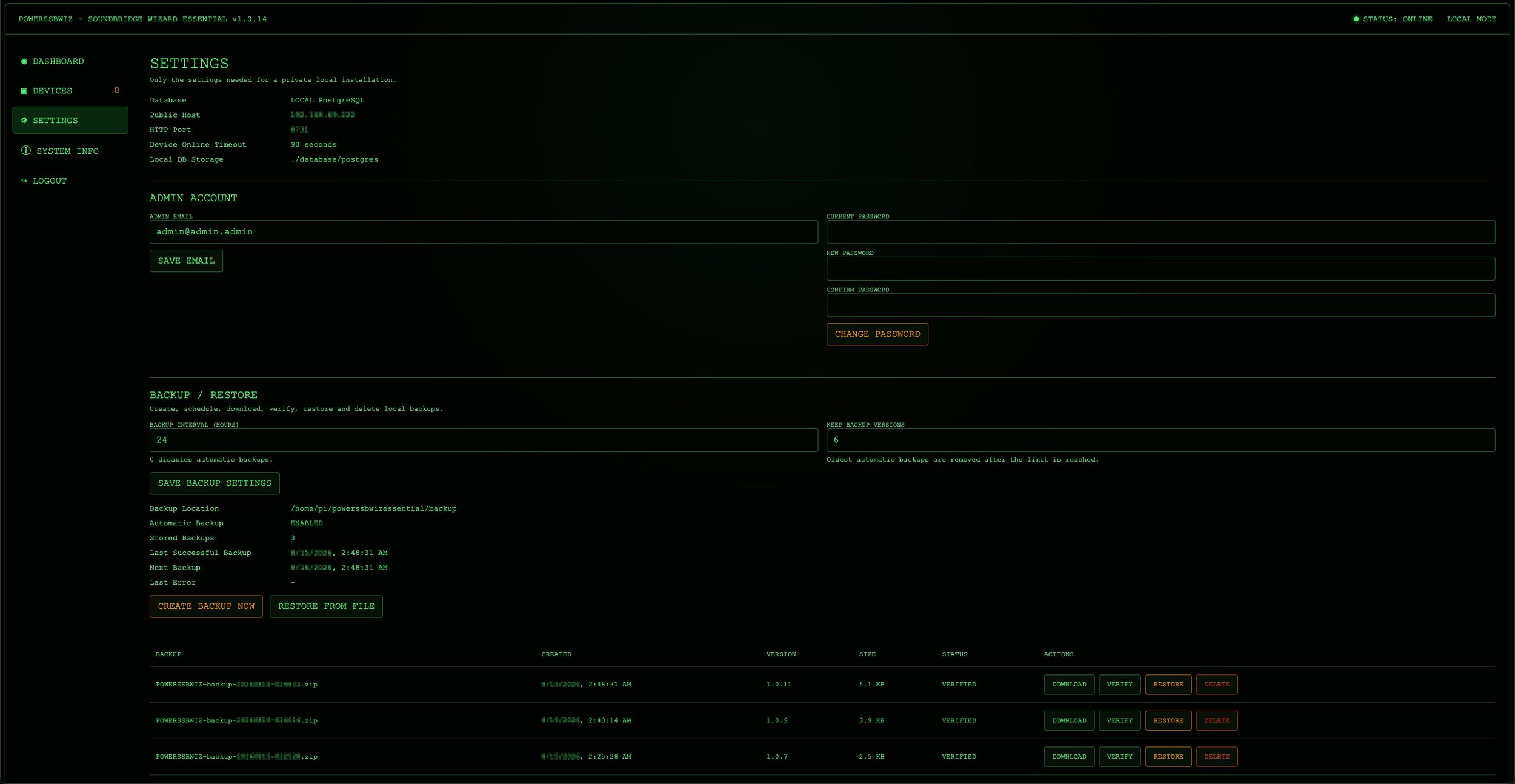
SETTINGS
This section contains the main configuration options for the local installation. It also includes the integrated backup and restore functions. Automatic backup intervals and the number of retained backup versions can be configured from the browser, while backups can also be created manually.
The backup area shows the configured backup location, whether automatic backups are enabled, the number of stored backups, the last successful backup, the next scheduled backup, and any reported backup error. Existing backup files can be downloaded, verified, restored, or deleted directly from the interface. An external backup ZIP file can also be selected and restored manually.
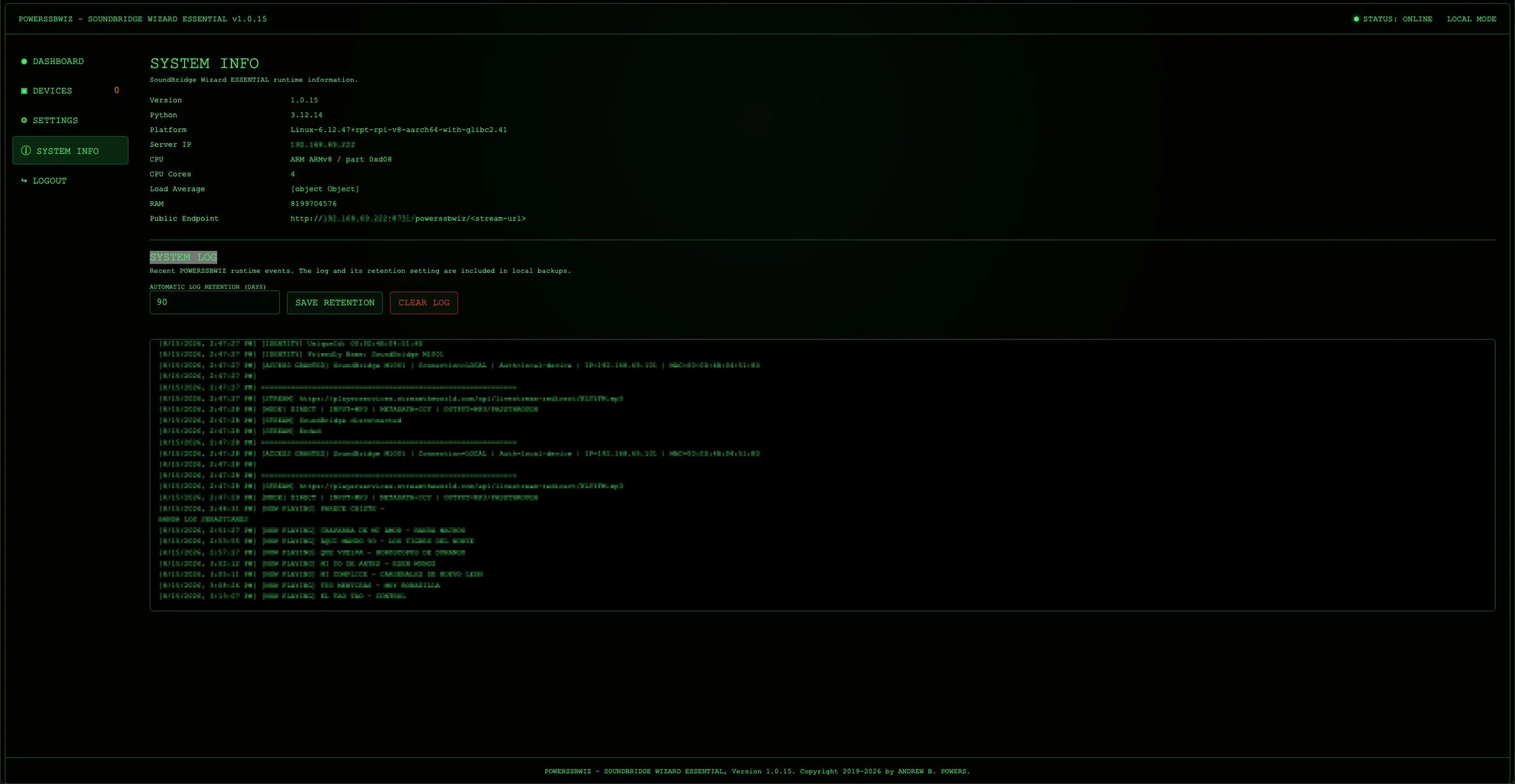
SYSTEM INFO
This section provides information about the running OWERSSBWIZ - SOUNDBRIDGE WIZARD ESSENTIAL installation and its environment, allowing important system details to be checked directly from the browser without opening a terminal.
It also contains the integrated SYSTEM LOG, which provides a simple view of recent SOUNDBRIDGE WIZARD runtime events. The log retention period can be configured directly from the web interface, and the complete log can be cleared manually when required.
Because the SYSTEM LOG is stored persistently in PostgreSQL, both the log entries and the configured retention setting are included in the normal SOUNDBRIDGE WIZARD backup. Restoring a backup therefore also restores the corresponding SYSTEM LOG and its retention configuration.
The SOUNDBRIDGE WIZARD ESSENTIAL interface is deliberately limited to the functions that are useful for operating a SoundBridge installation at home. Instead of exposing unnecessary administrative complexity, it brings device management, stream monitoring, configuration, backups, system logging, and system information together in one clear web interface.

Conclusion.
The project has evolved considerably from the original NGINX solution.
The first version primarily solved one specific problem:
HTTPS on the modern side, HTTP on the SoundBridge side.The SOUNDBRIDGE WIZARD goes much further. It can analyze the stream itself, process ICY metadata, handle station information and StreamTitle, follow different stream behaviors, and use FFmpeg as an alternative processing path whenever direct relaying is not sufficient.
At the same time, the project has grown beyond the streaming relay itself. SoundBridge devices can be detected and registered, active playback can be monitored, detailed information about the current connection and stream is available directly through the integrated web interface, and important runtime events can be reviewed through the persistent System Log.
Configuration, device management, stream monitoring, system information, system logging, and backup and restore functions are all accessible from the browser, while the complete application runs as a self-contained Docker installation with a local PostgreSQL database.
What started as a simple HTTPS-to-HTTP workaround has therefore become a dedicated compatibility layer between modern Internet radio infrastructure and a network music player from another era.
And that was ultimately the goal: the SoundBridge should not have to know how the Internet has changed over the past twenty years. It should simply continue doing what it was built to do - playing music.
The POWERSSBWIZ - SOUNDBRIDGE WIZARD ESSENTIAL takes care of the rest!
Check out this SoundBridge blog post too
Do you have any recommendations or personal guidelines that you find helpful?
Please feel free to comment and share your thoughts on “Roku SoundBridge – Making the SoundBridge Wizard smarter”.
If you like my work or the free stuff and want to say thank you, please use this opportunity now and
THANK YOU, very much! 🙏🏻
If you have any questions, please drop me a message!